
Ready to unlock a universe of entertainment? Setting up IPTV is surprisingly simple. At its core, you just need three things: a stable internet connection, a compatible device like a Firestick or Smart TV, and your login details from a premium provider. With those essentials, you can go from unboxing to streaming your favorite channels in just a few minutes, unlocking a world of buffer-free entertainment.
Laying the Groundwork for Perfect IPTV Streaming
Before you dive into apps and channels, a little prep work goes a long way. Establishing a solid foundation is the secret to avoiding the dreaded buffering wheel, grainy pictures, and frustrating connection drops that plague subpar setups. This initial effort ensures your network and hardware are primed for the demands of high-definition streaming.
Getting these basics sorted is the difference between a night of troubleshooting and an incredible, seamless viewing experience. We’ll walk through the three absolute must-haves: your internet speed, your chosen device, and your login credentials from your IPTV provider.
Your IPTV Setup Prerequisites
To put it simply, getting these things in order beforehand is the difference between a frustrating night of troubleshooting and an incredible, seamless viewing experience. Here’s a quick rundown of what you need to have ready.
| Requirement | Minimum Recommendation | Pro Tip for 4K Streaming |
|---|---|---|
| Internet Speed | 25 Mbps (for stable HD) | 50+ Mbps (essential for 4K/60fps) |
| Compatible Device | Smart TV, Android Box, Firestick | NVIDIA Shield, Apple TV (for best performance) |
| Login Credentials | M3U URL or Portal/Xtream Codes | Have them copied and ready to paste |
| Network Connection | Wi-Fi (5 GHz band) | Wired Ethernet Connection |
As you can see, a solid foundation isn’t complicated, but every piece plays a crucial role in delivering the quality you expect from the best quality IPTV 2025 has to offer.
What You’ll Absolutely Need
First up, your internet connection. This is the lifeline for your entire IPTV setup, and it’s where most problems start. Industry data shows that a whopping 85% of buffering issues are caused by a slow or unstable connection. You need at least 25 Mbps for a smooth HD stream. If you’re aiming for that flawless, buffer-free 4K IPTV USA experience, especially for live sports, you should really be looking at 50 Mbps or more. If you’re curious, you can read more about IPTV market trends and insights to see where things are headed.
Next is your device. You have tons of options, but they aren’t all created equal. While many people use their Smart TV’s built-in apps, dedicated streaming devices like an Amazon Firestick, NVIDIA Shield, or Apple TV almost always deliver a faster, more reliable experience due to their superior processing power.
Finally, have your login details from your provider ready to go. When you sign up with a top-tier service like zyminex.com, you’ll get an email containing your credentials. It will usually be in one of two formats:
- M3U URL: A single web link that contains all your channel information.
- Xtream Codes / XC API Login: This is a set of three things: a username, a password, and a server URL.
Having this info handy before you start will make the setup process a breeze. Premium IPTV Canada providers like Zyminex outshine competitors by providing clear instructions and stellar support, ensuring you have what you need. You can explore all the user-friendly Zyminex features that simplify this.
Pro Tip: A stable, wired Ethernet connection will beat Wi-Fi almost every single time. If your streaming device has an Ethernet port, use it. This one small change can make a massive difference in reliability and is a critical step toward getting the best quality IPTV 2025 can offer.
Your Practical Guide to IPTV Setup on Any Device
Alright, with the groundwork out of the way, it’s time to get your hands dirty. Getting IPTV up and running is pretty straightforward, but the exact steps change a bit depending on what device you’re using. Whether you’re in the US, Canada, or the UK, the mission is the same: load up your channels and start watching.
We’re going to skip the generic advice and jump right into actionable instructions for the most popular hardware out there. This little flowchart covers the key things you’ll need to have ready before you start, no matter which device you choose.
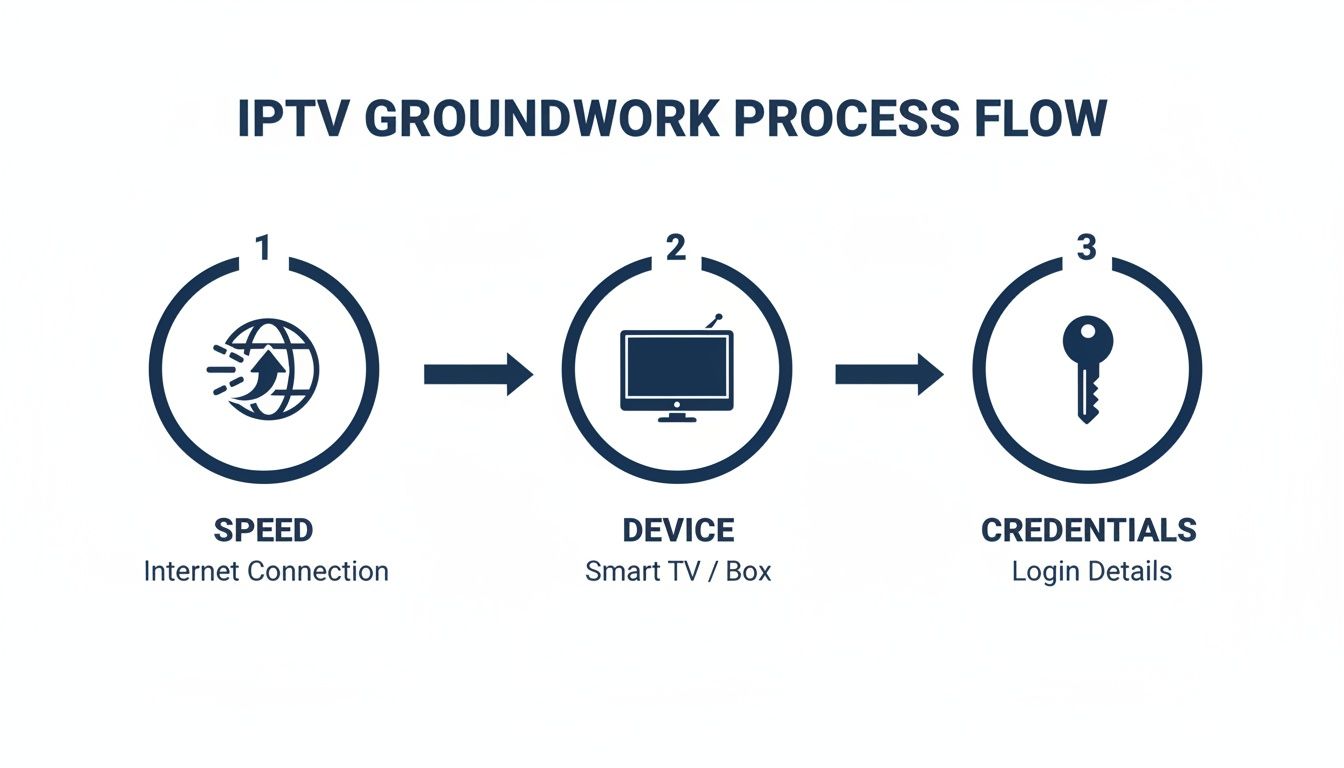
As you can see, a solid internet connection and your login credentials from us are the two universal must-haves for a smooth setup.
Firestick and Android TV Boxes
Amazon’s Firestick and Android-based boxes like the NVIDIA Shield are crowd favorites for IPTV, mainly because they’re so flexible. The catch? Most of the best IPTV apps aren’t on the official Amazon Appstore or Google Play Store. That means you’ll need to “sideload” them.
Don’t let that term scare you. It’s actually quite simple.
- Enable Unknown Apps: First thing’s first, you need to dive into your device’s settings. Look for “My Fire TV” or “Device Preferences,” then find “Developer Options.” From there, you just need to turn on “Apps from Unknown Sources” or “Install unknown apps.” This basically gives you permission to install apps from outside the official stores.
- Install the Downloader App: Next, search for and install an app called Downloader. It’s a free and incredibly useful tool that’s essentially a bare-bones web browser, perfect for downloading files directly onto your device.
- Enter the App’s Download Link: Zyminex will give you a direct download link for our recommended app. Just open Downloader, type that URL into the address bar, and hit download. Once the APK file is downloaded, follow the on-screen prompts to install it.
Once the app is installed, open it up. You’ll see a login screen asking for the credentials we sent you. Most modern apps give you the choice between logging in with an M3U URL or the much simpler Xtream Codes API. We provide both, so you can use whichever one works best for you.
Samsung and LG Smart TVs
If you have a newer Samsung (running Tizen OS) or LG (running webOS) Smart TV, the process is often even easier. You can usually find a great IPTV player right in your TV’s built-in app store, which means no sideloading is necessary.
Just head over to your TV’s app store and search for “IPTV.” You’ll find popular options like IPTV Smarters Pro or TiviMate. Install a highly-rated one, open it, and it will prompt you for your M3U link or Xtream Codes details to load your channels.
Expert Tip: While using your TV’s native apps is convenient, they can sometimes feel a bit sluggish compared to a dedicated streaming device. If you notice any lag, a Firestick 4K Max is a cheap upgrade that can make a world of difference and deliver that top-tier best quality IPTV 2025 experience.
Apple TV, MAG, and Enigma2 Devices
These devices are for users who prefer a more customized or traditional set-top box feel. Each has its own little quirks.
- Apple TV: On the App Store, search for apps like iSTB or GSE Smart IPTV. The setup is very similar: install the app, then add your playlist using the login info we provided. The polished interface of Apple TV really makes for a premium viewing experience.
- MAG Boxes: These boxes were practically born for IPTV. You’ll take the “Portal URL” from your Zyminex email and enter it directly into the device’s main settings. Once it connects, it loads a custom interface that feels just like an old-school cable box.
- Enigma2: This one’s for the satellite receiver hobbyists. You can add your M3U playlist right into the device’s channel list, making it feel fully integrated with your existing setup.
No matter what device you land on, a premium IPTV Canada service like zyminex.com makes sure you have clear, compatible credentials ready to roll. Getting everything configured correctly is the final step to enjoying a reliable, buffer-free stream. You can find out more about our great packages at zyminex.com/pricing.
Dialing In Your Setup for Flawless Streaming
Getting your channels loaded is just the first step. The real art is in tweaking your settings to get that buttery-smooth, high-definition picture that services like Zyminex are known for. This is where you go from a decent stream to a truly premium viewing experience, especially when it matters most.
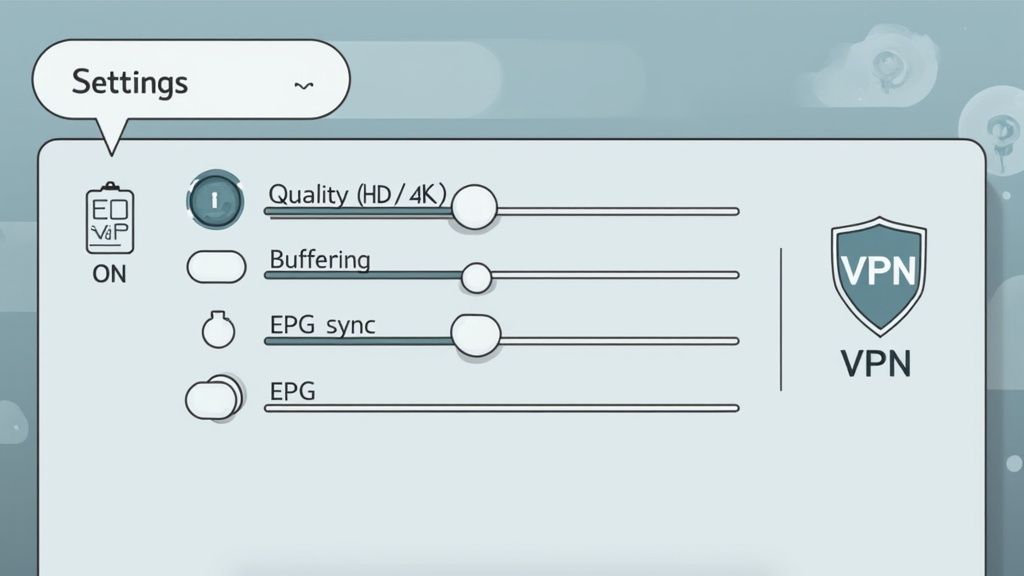
A few small adjustments inside your app can make a world of difference. This is particularly true if you’re chasing that perfect, buffer-free 4K IPTV USA stream during the Super Bowl or the NBA Finals.
Fine-Tuning Your Player and Guide
Your IPTV app is your command center, and its settings menu holds the keys to better performance. The two biggest areas to focus on are the video player itself and your Electronic Program Guide (EPG).
Start by digging into the video player options. Most apps default to a software decoder, which relies on your device’s main processor. For much better results, switch to a hardware decoder. This offloads the heavy lifting to your device’s specialized video hardware, leading to much smoother playback on high-bitrate 4K content and fast-paced 60fps sports. If you’re curious about which apps offer the best control, our review of top Android IPTV players is a great place to start.
Next up is the EPG. A laggy guide is frustrating. Here’s how to make it snappier:
- Change the EPG Update Frequency: Check the settings for how often the guide data refreshes. Setting it to update just once a day is plenty and stops it from slowing things down in the background.
- Reduce the EPG Data: Do you really need two weeks of TV listings? Probably not. Trimming this down to 3-5 days makes the guide load much faster.
These quick changes make navigating your channels as seamless as watching them.
Keeping Your Stream Secure and Fast with a VPN
One of the biggest culprits behind buffering is your own Internet Service Provider (ISP). Many ISPs in the US, Canada, and UK actively throttle (slow down) streaming traffic, which can ruin your viewing experience at a critical moment. The most effective way to prevent this is with a VPN.
Zyminex includes a built-in VPN, a game-changing feature that adds a ton of value and privacy. When you activate it, your internet connection is encrypted. This means your ISP can’t see what you’re doing, so they can’t single out your stream to slow it down. It’s a simple fix for a very common problem.
Here’s a practical example. Imagine you’re a Premier League fan in Canada, and your provider is notorious for throttling streams during big matches. By simply flipping on the Zyminex VPN, your stream is cloaked from your ISP’s throttling algorithms. You get a crystal-clear, uninterrupted 4K broadcast of the entire game, delivering that true premium IPTV Canada experience.
Taking this one step is often the most important thing you can do to get the performance you paid for. It’s how you ensure you’re getting the best quality IPTV 2025 can deliver.
Navigating Common IPTV Setup and Streaming Hiccups
Even the best setups can run into trouble now and then. You might see the dreaded buffering wheel or a frustrating login error, but don’t worry—most of these issues are surprisingly easy to fix. Think of this section as your go-to guide for getting your stream back on track in minutes. A stable service like Zyminex already minimizes these headaches, but it’s always good to know what to do when things go sideways.
More often than not, streaming problems point back to your network. For a smooth ride, especially when you’re watching in 4K, you really want to have at least 50 Mbps dedicated to your streaming device. The data doesn’t lie: users with enough bandwidth report a 92% satisfaction rate, which blows cable’s 65% out of the water.
And here’s a pro tip: always go for a wired Ethernet connection if you can. It offers about 99% stability, whereas Wi-Fi can fluctuate down to 70%. You can dig deeper into these industry benchmarks by reading the full report on the IPTV market.
Tackling Buffering and Freezing
Nothing ruins a big game or a movie night faster than a stream that just won’t stop pausing. Buffering is almost always a network issue, either happening at your house or somewhere along the line with your provider.
Here are a few quick things I always try first:
- Reboot Everything: It sounds too simple, but restarting your streaming device and your internet router is the oldest trick in the book for a reason. It clears out temporary glitches and fixes a huge number of connection problems.
- Go Wired: If you’re using Wi-Fi, grab an Ethernet cable and plug your device directly into the router. A stable, direct connection is a game-changer for a buffer-free 4K IPTV USA experience.
- Check for Bandwidth Hogs: Is someone else in the house downloading massive files, or is a gaming console soaking up all the bandwidth? Pausing those high-demand activities will often free up enough juice to get your stream running smoothly again.
Fixing Authentication and Login Errors
Getting hit with a “Login Failed” or “Authentication Error” is annoying, but it’s usually just a simple typo. The system is very picky about what you enter.
When you’re putting in your M3U link or Xtream Codes, be incredibly careful. They are case-sensitive, and a single wrong character will lock you out. My advice? Always copy and paste the credentials directly from your welcome email. It eliminates any chance of a typo.
If you’ve checked and re-checked your details and it’s still not working, try a full refresh. Log out of the app, close it down completely, and then sign back in. Still stuck? Our support team at zyminex.com is on standby 24/7 to help.
Sometimes, a missing channel list or a blank guide is also tied to login issues. You can learn how to set up your guide correctly by checking out our resource on EPG for IPTV. Zyminex’s solid server infrastructure is built to avoid these authentication problems, which is why it’s a go-to choice for premium IPTV Canada viewers who just want things to work.
Why Your Provider Is the Key to Quality IPTV
While having the right app and a fast internet connection helps, they aren’t the whole story. The single biggest factor that dictates your streaming quality is, without a doubt, your IPTV provider.
Think of it like a highway. Your device and internet are your sports car, but the provider owns the roads. If those roads are congested, full of potholes, and poorly maintained, it doesn’t matter how fast your car can go—you’re still going to get stuck in traffic. This is exactly what happens with many cheap services. They operate on overloaded servers, which is the direct cause of that frustrating buffering and freezing, especially during a big game.
The Zyminex Advantage: Reliability, Value, and Privacy
We built zyminex.com to be different. Our entire focus has been on investing in a powerful, high-speed server network designed for one purpose: delivering a rock-solid, buffer-free 4K IPTV USA stream. This commitment means you get reliable performance even during peak times, like major live sporting events, when other services crumble under the pressure. This is why Zyminex stands out as the top best quality IPTV provider for users in the US, Canada, and the UK.
True value isn’t found in the cheapest monthly price. It’s in a flawless viewing experience where you spend your time watching content, not troubleshooting it.
A premium provider gives you a foundation for great streaming. Here’s what really sets a service like ours apart:
- Dedicated Resources: We don’t cram thousands of users onto overloaded servers. Our infrastructure is built to ensure your stream always has the bandwidth it needs to run smoothly.
- Built-in Privacy: Our service includes an integrated VPN to shield your activity from ISP throttling, keeping your viewing habits private and your stream consistent.
- Proactive Support: Our team is on standby 24/7. If you run into an issue, we’re here to solve it quickly so you’re never left guessing.
Choosing a reliable service is the most important decision you’ll make for your IPTV setup. To see what separates the best from the rest, check out our guide on top American IPTV providers. A quality provider is the only way to get the best quality IPTV 2025 and beyond.
Got Questions? Let’s Get Them Answered
Alright, now that we’ve walked through the setup process, let’s tackle some of the lingering questions that usually pop up. Think of this as the final checklist to make sure you’re all set for a great streaming experience. We’ve pulled these directly from common queries we see from new users in the US, UK, and Canada.
Can My Whole Family Watch on Different Devices at the Same Time?
This is a big one, and the short answer is: it depends on your plan. Most IPTV providers structure their plans around the number of simultaneous connections you need.
A basic package might only allow for one stream at a time. If you try to log in on a second device, the first one will likely get kicked off. On the other hand, premium providers like zyminex.com offer multi-room plans designed for households, allowing for three or more connections at once. Before you sign up, always check how many connections are included to avoid any “Hey, you kicked me off!” moments during the big game. You can check our connection options on our zyminex.com/features page.
Is a VPN Actually Worth It for IPTV?
I get this question all the time, and I always give the same advice: yes, absolutely. While it might not be technically required to get a stream running, a VPN is your best friend for two key reasons: privacy and performance.
First, a VPN encrypts your connection, making it impossible for your Internet Service Provider (ISP) to monitor what you’re watching. More importantly, it helps you sidestep ISP throttling—that annoying habit some providers have of slowing down your internet when they detect high-bandwidth activity like streaming. Zyminex’s built-in VPN is a game-changer here, as it gives you that protection without needing a separate, costly subscription. It’s a simple way to ensure you’re getting the best quality IPTV 2025 experience possible.
My Two Cents: Don’t skip the VPN. It’s the single best tool for preventing buffering caused by your ISP and keeping your viewing habits private. It’s a small step that makes a huge difference.
M3U Link vs. Xtream Codes: What’s the Real Difference?
Think of these as two different keys to unlock the same door. Both get your channels loaded into your app, but they work slightly differently.
- An M3U link is a straightforward URL. You copy it, paste it into your app, and it pulls down your channel list. It’s simple and works everywhere.
- Xtream Codes (or XC login) is a more structured login using a username, password, and a server URL. I often find this method a bit more robust because it tends to pull in the Electronic Program Guide (EPG) and channel icons more reliably without extra steps.
Most modern apps handle both with ease. Your provider will give you one or both, so it’s just a matter of plugging in what you’re given. If you want to see how it works firsthand, you can grab an IPTV with a free trial and test drive our service yourself.
Actionable Takeaways:
- Prioritize Internet Speed: Ensure you have at least 50 Mbps and a wired connection for a buffer-free 4K experience.
- Choose the Right Provider: Your streaming quality is only as good as your provider. Zyminex invests in robust servers and built-in privacy features to guarantee reliability.
- Optimize Your App: Use a hardware decoder and adjust EPG settings for a faster, smoother interface.
- Always Use a VPN: Protect your privacy and prevent ISP throttling with the built-in VPN from Zyminex.
Stop settling for frustrating streams and experience the difference a premium provider makes. Zyminex offers the reliability, privacy, and support you need for a flawless viewing experience.

Pingback: Movies on IPTV: Your Ultimate Guide to a Cinematic Experience in 4K
Pingback: IPTV On Samsung TV Setup Tips And Troubleshooting
Pingback: What Is IPTV and How Does It Work? A Complete Guide
Pingback: The Definitive Guide to the Best IPTV for Android TV Box in 2025
Pingback: Finding the Best IPTV Provider: A Comprehensive Guide for 2025
Pingback: Finding Reliable IPTV Providers for Buffer-Free 4K Streaming